

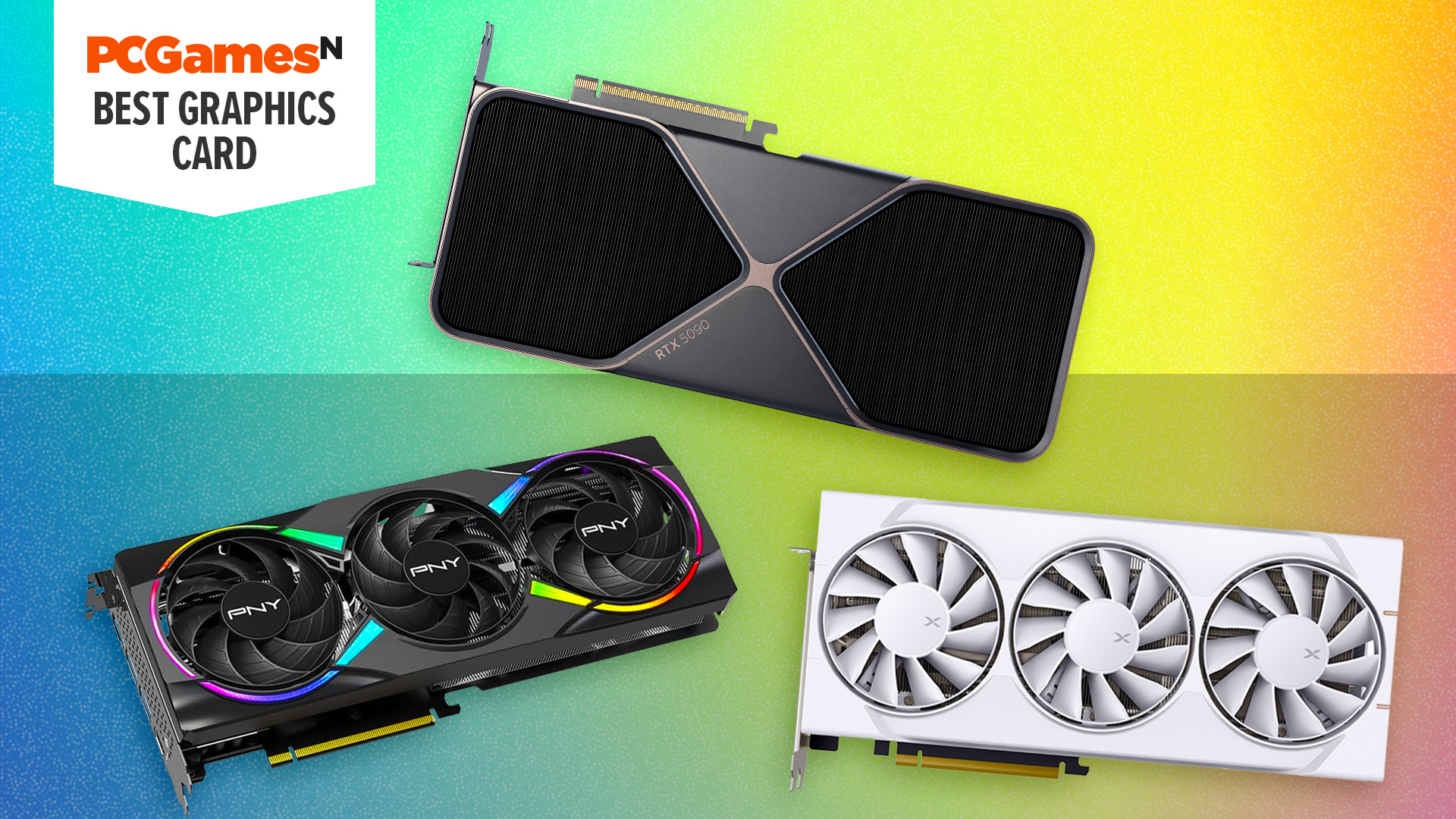
What is the best graphics card? Finding a new gaming GPU can mean navigating a confusing mass of numbers in specs lists, as well as weighing up the pros and cons of the different features available from Nvidia, AMD, and Intel. Fear not, though, as we’ve done all the hard work for you. Our best graphics card guide will steer you towards the right card for your needs, whatever your budget.
The best graphics card for most is the AMD Radeon RX 9070, as it currently offers the best value while still offering great performance across the board. Meanwhile, the best graphics card overall is, of course, the Nvidia GeForce RTX 5090, even if it does cost nearly $4,000. Meanwhile, for a budget card, the AMD Radeon RX 9060 XT 16GB is our 1080p pick, while the Nvidia GeForce RTX 5060 is the best for under $350. Read on to find plenty of other options to suit other budgets, and check the “Also tested” section for more graphics card reviews. For more buying advice, check out the “How to choose a graphics card” and FAQ sections of this guide.
Why you can trust our advice ✔ At PCGamesN, our experts spend hours testing hardware and reviewing games and VPNs. We share honest, unbiased opinions to help you buy the best. Find out how we test.
Best graphics card 2026:
AMD Radeon RX 9070
Best graphics card for most

| GPU architecture | AMD RDNA 4 |
| Stream processors | 3,584 |
| AI cores | 112 |
| RT cores | 56 |
| Game clock | 2.07GHz |
| Boost clock | 2.52GHz |
| VRAM | 16GB GDDR6 20Gbps |
| Memory bandwidth | 644.6GB/s |
| TDP | 220W |
- Solid frame rates
- Loads of VRAM
- Power draw is reasonable
- Might as well buy the 9070 XT at MSRP
- No multi frame gen
- Limited availability
When it first launched, the Radeon RX 9070 seemed like a misplaced product that was too close in price to the RX 9070 XT without the performance to match. However, since then, prices for graphics cards have gone wild, and based on current pricing, the RX 9070 actually comes out on top as the best value graphics card in its class, making it our go-to recommendation for a mid-range gaming PC.
A look at our cost per frame charts below shows the RX 9070 is better value than the RX 9070 XT, RTX 5070, and RTX 5070 Ti. Not only is it good by this relative metric, but the raw results are great, too. You’re looking at an average frame rate of 173fps at 1080p, 132fps at 1440p, and 76fps at 4K, according to our tests.
What’s more, with 16GB of VRAM, this card has no issues with suddenly finding it has run out of VRAM, unlike the RTX 5070. AMD’s ray tracing performance isn’t as good as Nvidia’s right now, but most of our tests use ray tracing, and the RX 9070 still comes out on top.
The main factor to consider, as to whether this is the right card for you, is Nvidia DLSS and its upscaling and frame generation abilities. AMD has its competing FSR tech, which is better than it used to be, but DLSS is still better. As such, if you absolutely want to be able to turn on all the eye candy, such as ray tracing, while compromising somewhat on raw resolution and truly fast-feeling frame rates, DLSS upscaling and multi frame generation with the RTX 5070 can outclass the RX 9070. However, if you prefer to only use these technologies as a last resort and want the best raw performance for your money, the RX 9070 takes the win.
Meanwhile, a crucial extra benefit of this card over the RX 9070 XT is that it’s far less hot-running and power-hungry. Our test system drew 395W from the mains with the 9070 installed, compared to a massive 487W with the 9070 XT.
Read our full AMD Radeon RX 9070 review to find out more.
Nvidia GeForce RTX 5090
Best graphics card overall

| CUDA cores | 21,760 |
| Tensor cores | 170 (4th-gen) |
| RT cores | 680 (5th-gen) |
| Boost clock | 2,407MHz |
| Base clock | 2,017MHz |
| VRAM | 32GB 28Gbps GDDR7 |
| Memory bandwidth | 1,792GB/s |
| TGP | 575W |
- Multi Frame Gen is amazing
- Fastest gaming GPU ever
- Great two-slot cooler
- Astronomical price
- Scarce supply
- Not all games support Multi Frame Gen
If peak performance is all that matters to you, there’s no denying that the Nvidia GeForce RTX 5090 is by far and away the most powerful graphics card you can buy. AMD’s closest competitor, the RX 9070 XT, is less than half as fast, and even the mighty RTX 4090 from Nvidia’s last generation of cards is comfortably beaten.
In our tests, this card could run Cyberpunk 2077 at 4K with ray tracing at a smooth 59fps, which compares to 43fps for the RTX 4090 – that’s a 37% increase. Meanwhile, the RX 9070 XT hits just 26fps and the RTX 5080 just 34fps in this ultra-demanding test.
It’s also just this sort of scenario where Nvidia’s DLSS tech also comes into its own, as you can generally enable DLSS upscaling at 4K, and the difference in image quality compared to native resolution is hardly noticeable. At lower resolutions, upscaling can be far more obvious.
Nvidia’s RTX 5000 series also gets you access to MFG that lets AI add in up to five extra generated frames, for incredibly smooth-looking visuals. However, the scenario above is a perfect example of this technology’s limitations. Yes, you could use MFG to quadruple your apparent frame rate, but the game will still feel like it’s running at 60fps, which can make for a wobbly, gaming-in-treacle feel. Instead, MFG is best reserved for taking your already high frame rate (80-120fps+) and bumping it up to hit the peak frame rate of your fast gaming monitor. You can read more about our thoughts on MFG in my DLSS guide.
All this power doesn’t come without caveats, though, and the RTX 5090 has some major ones. For a start, even at its MSRP it’s incredibly expensive, at $2,000. However, with today’s inflated graphics card prices, it typically sells for nearly double that. This results in this card being terrible value relative to its actual average frame rates. According to our data, its $18 per frame average is nearly double that of the RTX 5080 and triple that of the RX 9070.
Then there’s also the fact that there has been a steady stream of RTX 5090 cards that have ended up melting their power cables, sometimes causing smoke, fire, and permanent damage to customers’ cards and PCs, simply due to how much power these cards consume. It’s difficult to truly get a sense of how common this issue is, but it’s an unnerving risk to think about when dropping $4k on a GPU.
Read our full Nvidia GeForce RTX 5090 review to find out more.
Nvidia GeForce RTX 5060
Best budget graphics card
| GPU Architecture | Nvidia Blackwell |
| Stream processors | 4,608 |
| Tensor cores | 144 (5th-gen) |
| RT cores | 36 (4th-gen) |
| Base clock | 2,407MHz |
| Boost clock | 2,572MHz |
| VRAM | 16GB GDDR7 28Gbps |
| Memory bandwidth | 448GB/s |
| TDP | 180W |
- Loads of VRAM for its price
- Decent value at MSRP
- Great gaming performance
- Supports multi frame gen
- Actual price too high in US
- Limited benefits to multi frame gen
- Base performance not much faster than RTX 4060 Ti
We gave the Nvidia GeForce RTX 5060 a bit of a mauling when it first launched, as it simply didn’t offer great value, and its 8GB VRAM limit held it back in some situations. However, with graphics card prices as they are right now, the RTX 5060 has come out as a decent entry-level option.
When I say “entry-level,” we’re still talking about $350 in today’s prices, but that compares to $450 for a 9060 XT 16GB and $550 for an RTX 5060 Ti. What’s more, it’s only $50 more than its launch MSRP of $299. Considering some graphics cards are 20, 30, 50, or even 100% more expensive than when they first launched, the 17% markup of this card puts it in a new light.
This price rearranging means that the RTX 5060 is not only just one of the cheapest current-generation graphics cards around, but its value is… not too far off that of the best value options. In our cost per frame analysis, the RTX 5060 isn’t the very lowest, but it’s the second best on offer from Nvidia while still being a relatively cheap card overall.
What’s more, its performance is solid, at least at 1080p. Our comparison tests for this guide are run at the demanding Ultra detail presets for most games, so this card’s average frame rate of 80fps isn’t entirely reflective of what you can expect to see in most games. Run at High detail settings, and you’ll be over 100fps on average.
Another reason this card is a decent choice right now is that Nvidia’s DLSS upscaling and frame generation tech is so usable. For a relatively budget card like this, a little bit of upscaling and some frame gen can really open it up to running at higher detail settings and resolutions than you might otherwise expect.
The big caveat here is its lack of VRAM. At just 8GB, it has the same amount as several other budget options, but we’re starting to see instances of this limited amount making games unplayable. This card simply won’t run Indiana Jones and the Great Circle at Ultra settings at 1440p, for instance.
However, realistically, you won’t be playing a game like that at those settings with this card – even if it did run, it would only get 20-30fps. Instead, it can run fine with settings dialed back slightly, and, again, if you do have a 1440p monitor, you can use DLSS to upscale from 1080p to get great image quality and a smooth frame rate.
Read our Nvidia GeForce RTX 5060 review for more details.
AMD Radeon RX 9060 XT
Best 1080p graphics card

| Stream processors | 2,048 |
| RT cores | 32 (third generation) |
| Base clock | 1,700MHz (1.70GHz) |
| Game clock | 2,530MHz (2.53GHz) |
| Boost clock | 3,130MHz (3.13GHz) |
| VRAM | 8GB / 16GB 20Gbps GDDR6 |
| Memory bandwidth | 322.3GB/s |
| TBP | 150W (8GB0 / 160W (16GB) |
- Better overall performance than RTX 5060
- Much better ray tracing than Radeon RX 7000 series
- Available with 16GB of VRAM
- 8GB version has major performance caveats
- 16GB card hard to find at $349 MSRP
- No answer to DLSS Frame Generation
The AMD Radeon RX 9060 XT was originally our pick for the best budget graphics cards when it launched. However, with prices having risen so much, the RX 9060 XT isn’t quite such a cheap option, leaving room for the RTX 5060 to become the best choice if you simply can’t stretch to the price of this card.
Instead, the RX 9060 XT 16GB is now our pick for the best graphics for 1080p gaming. Despite its price rising to $450, it offers the lowest cost per frame based on current pricing and our own benchmark data. Not only does it offer such good value, but it excels in general performance at a range of resolutions. We’ve earmarked it as the best for 1080p gaming, thanks to its 120fps average, but its average of 106fps at 1440p means it has plenty of headroom for higher resolution gaming, too.
Helping in this endeavor is its 16GB of VRAM, which means this card can run at resolutions and detail settings that make other budget cards crumble. You still won’t be getting 60fps at 4K ultra in most games, but you might be able to get 20fps as a baseline, for instance, then use FSR upscaling to get a more playable frame rate. That’s better than the game simply not running at all, as can be the case with 12GB and 8GB cards.
If you have around $450 to spend on a GPU, the RX 9060 XT 16GB is simply by far the best way to spend your money.
Read our AMD Radeon RX 9060 XT review to find out more.
AMD Radeon RX 9070 XT
Best 1440p graphics card

| GPU architecture | AMD RDNA 4 |
| Stream processors | 4,096 |
| AI cores | 128 |
| RT cores | 64 |
| Game clock | 2,400MHz (2.4GHz) |
| Boost clock | 2,970MHz (2.97GHz) |
| VRAM | 16GB GDDR6 |
| Memory Bandwidth | 644.6GB/s |
| TDP | 304W |
- Incredible gaming frame rates
- 16GB of VRAM
- Great value for money
- Draws a lot of power
- Not many games support FSR 4
- No equivalent of multi frame gen
The Radeon RX 9070 has stolen the 9070 XT’s crown as the best value graphics card overall. However, AMD’s fastest current-gen GPU still offers relatively good value for money at today’s prices – yes, even despite the fact that it sells for $150 more than its original MSRP – and really solid, reliable performance at 1440p.
Previously, the RTX 5070 Ti was our top pick for this category of GPU, as it consistently outperforms the RX 9070 XT. However, that was when it was supposed to cost $749. In today’s pricing climate, it sells for typically well over $1,000, and at that price, its value plummets, making it the third-worst value card currently available – after the RTX 5090 and RTX 5080.
The RX 9070 XT, then, averages 132fps in our tests, all of which we run at Ultra detail settings, often with ray tracing, showing that this card is very capable of smoothly running the latest games at this resolution. It can also comfortably run at 4K, too, with our average hitting exactly 60fps, but it’s definitely more comfortable at 1440p in triple-A titles.
As with other AMD GPUs, the RX 9070 XT suffers from its FSR upscaling and frame generation technology not being as good as Nvidia’s, but it’s much-improved, and with such solid baseline performance, you should seldom have to resort to using it.
Perhaps the most important thing to note about this GPU is that it draws a lot of power, so you’ll need at least an 850W PSU in your rig. It also runs quite hot, so good ventilation is a must.
Read our full AMD Radeon RX 9070 XT review to find out more.
Nvidia GeForce RTX 5080
Best for 4K
| CUDA cores | 10,752 |
| RT cores | 84 (4th-gen) |
| Tensor cores | 336 (5th-gen) |
| Base clock | 2,300MHz |
| Boost clock | 2,620MHz |
| VRAM | 16GB 32Gbps GDDR7 |
| Memory bandwidth | 960GB/s |
| TBP | 360W |
- Much cheaper than RTX 5090
- Decent 4K gaming performance
- DLSS 4 with Multi Frame Gen is awesome
- Hard to find in stock at MSRP
- Not much faster than 4080 Super without DLSS 4
- Not all games support Multi Frame Gen
If money were no object, the RTX 5090 is clearly the best 4K graphics card. However, when considering value at least a little bit, the RTX 5080 is, in fact, the best graphics card for 4K right now.
With an average 4K frame rate in our tests of 107fps, this card can breeze through most games at this very high resolution, even despite all our test runs using Ultra detail settings. The main exception to note is that in Cyberpunk 2077, this card could only hit 34fps using the Ultra ray tracing setting. That is a particularly demanding scenario, though, and you can easily get well over 60fps engaging just a little bit of DLSS upscaling or toning down the settings slightly.
MFG is also available to this card, letting you hit ludicrously high frame rates in most games. As ever, the benefit of its AI-generated frames is often questionable, but with such strong starting frame rates in most games with this card, issues around the added latency and slow-feeling input associated with using MFG at low frame rates aren’t so much of an issue here.
Ultimately, this is still a massively overpriced card right now, thanks to its real-world price being $1,500 compared to its MSRP of $999. This results in its cost per frame being far worse than all but the RTX 5090. However, its cost per frame is still half that of the RTX 5090, and it’s faster enough than every other card out there that it finds its niche as the best for playing most games maxed out without having to sell a kidney.
Read our full Nvidia GeForce RTX 5080 review to find out more.
Also tested – more graphics card reviews
Nvidia GeForce RTX 5070
 The RTX 5070 gives both the AMD Radeon RX 9070 XT and RX 9070 a close fight, with it sitting just between those two for average frame rates. However, its value, in terms of cost per frame, is lower than them both, making AMD’s options the better choices at their prices. However, the impressive image quality and frame-boosting ability of DLSS upscaling, along with the potential of MFG, does make the RTX 5070 a compelling option. If you find you don’t notice the latency of MFG, it can be a great way to boost frame rates. The 12GB VRAM limitation of this card is also a factor to consider, which you can read more about in our Nvidia GeForce RTX 5070 review.
AMD Radeon RX 7800 XT
 Unlike Nvidia’s last-generation RTX 4000 series GPUs that have almost all disappeared from shop shelves, a few of AMD’s previous-generation options can still be bought new. The RX 7800 XT is its RX 7000 mid-tier card with really solid performance that generally sits between the RTX 5060 Ti 16GB and RX 9060 XT, and the RTX 5070 and RX 9070. It’s not as good for ray tracing as AMD and Nvidia’s latest, and doesn’t support AMD’s latest FSR 4 tech, but if you just want raw overall gaming performance, it delivers. Don’t pay more than $500 for it, though. Read our RX 7800 XT review for more information.
Recent updates:
04/16/26 I’ve completely overhauled our best graphics card guide, using average frame rate data from our reviews and the latest PGU prices to provide us with a cost per frame rating. This has then been used as the main factor in determining the best card for each category. I’ve also updated our buying advise to reflect the current state of the GPU market, following the huge increase in VRAM prices at the start of the year.
How to choose a graphics card
The first step to finding a good graphics card choice for you is the same as every other component: budget. The Nvidia RTX 5090 is only the fastest option for your system if you can afford it, and knowing how much you can spend on your new GPU will help narrow down your options.
Graphics card prices have been steadily rising well above inflation for a few years, but right now they’re particularly expensive, with the RTX 5090 selling for nearly double its MSRP. This affects the overall sense of value of buying many of these cards, but there are still some decent value options to be found.
Next up, consider what sort of games you play and what monitor you have. If you mainly play indie games, older titles, or play competitive games at a more casual level, none of these options puts a huge demand on your GPU, so you might be able to get away with buying a more entry level GPU such as the AMD Radeon RX 7600 or Nvidia GeForce RTX 5050. These cards bring support for many modern features and still have the grunt to power most AAA games at 1080p resolutions at medium to high settings, yet cost well under $300.
Likewise, if your monitor only has a resolution of 1080p and a refresh rate of 120Hz or less, there’s very little point in spending big on a GPU. If you do, you’ll have the horsepower ready to run at higher resolutions and faster frame rates, but only an upgrade to one of the best gaming monitor options will truly unlock that potential.
Meanwhile, if you have what many consider to be the goldilocks screen size and resolution – a 27-inch, 1440p display with a 144Hz-240Hz refresh rate – that’s when mid-range GPUs such as the AMD Radeon RX 9070 and RTX 5070 come in to play. For around $600 these will provide very high frame rates at 1080p and 1440p in esports titles while bringing steady 60-120fps frame rates and stunning visuals in many AAA games with all the settings cranked up.
If you have a 4K monitor or a super-fast 360Hz+ gaming monitor – or one that can do both, such as you can read about in our LG Ultragear 32GS95UE review – that’s when you’ll want to consider moving up to the likes of the RX 9070 XT, RTX 5080, or the all-conquering RTX 5090.
To help you get a sense of the value that each of the most popular graphics cards currently gives you, I’ve put together a couple of cost per frame charts that you can see below. These are based on our own benchmark results and the current pricing for each card, using an average of the top five most popular options for each card on Amazon. One chart shows the average result for all cards at 1080p and 1440p while the other shows results for 1080p, 1440p, and 4K, but only for the cards we’ve tested at 4K. These show why, for instance, the RX 9070 currently tops our guide, while the RTX 5080 and RTX 5090 are such poor value right now.


With those core factors taken into consideration, you can now move on to thinking about the finer differences between AMD, Intel, and Nvidia GPUs. All three companies largely offer very similar core features, with all supporting AI acceleration and ray tracing as well as normal game rendering. All also include a type of AI-enhanced upscaling and frame generation technology. AMD has FSR, Intel has XeSS, and Nvidia has DLSS.
On balance, Nvidia is leading the charge on features, thanks mainly to the image quality of its DLSS upscaling and its unique feature called multi-frame generation or MFG. MFG lets a game render one frame in a normal manner, then uses AI to insert up to five more. AMD also has a frame generation technology, but it can only insert one frame. Our RTX 5090 testing showed MFG can be quite impressive, though it isn’t quite the magic frame rate generator Nvidia suggests it is, which is why we still don’t use it as the basis for judging the raw performance of a graphics card.
While MFG is impressive, and Nvidia’s software technology lead in general isn’t to be dismissed, we’ve seen with the likes of the AMD Radeon RX 9070 XT that value ultimately trumps all for most buyers, and right now, AMD holds an advantage here with several of its cards.
As for Intel, it has yet to release a graphics card that really competes above the entry-level segment of the market. Its Arc A770 competed with the likes of the RTX 4060 Ti, but without subsequent major discounts to the Intel card, it wasn’t much of a fight. Meanwhile, its newer Arc B580 was for a while a sub-$250 champion, but supply of the card at that price has dried up, and it’s less viable at the $300+ price at which it’s often selling.
FAQs
What is a graphics card?
Graphics cards enable your PC to display images of any type, and they also process the incredibly complex calculations required to render the 3D scenes in many games.
Most desktop work and 2D games put a low demand on your graphics card, but when games display 3D worlds, the calculation demands increase considerably. As you then move to the stunning, realistic worlds of modern AAA games such as Crimson Desert or Kingdom Come: Deliverance 2, a graphics card is performing billions of calculations a second to keep up with demand.
Modern graphics cards also support ray tracing technology, which is used to create realistic lighting and reflection effects and is even more demanding than conventional 3D rendering. That’s at least part of the reason we’ve seen the rise in AI to process information as quickly as possible and make your games look visually stunning while reducing the overall demand on your GPU.
However, don’t be fooled by AI and ray tracing. A certain amount of conventional raw 3D-processing power is essential, which is why, when reviewing graphics cards, we test with both ray tracing and without, using AI upscaling and frame generation and without.
What’s the difference between a graphics card and a GPU?
A GPU is a chip, or portion of a chip, that processes graphics – it’s the graphics processing unit. GPUs can be incorporated into CPUs, added to laptops, or mounted in graphics cards. A graphics card is the separate, upgradeable part that you can upgrade in a PC, and which houses a GPU, the PCB on which it’s mounted, a load of VRAM to provide data to the GPU, the power circuitry, and the cooler.
How do you upgrade your graphics card?
Unless your PC has a custom water-cooling loop that cools your GPU, upgrading your graphics card is one of the easiest and biggest-impact upgrades you can make to your gaming PC. They literally just slot in and out of your PC, with a couple of screws and a clip on the motherboard’s PCIe slot being all that holds them in.
There are really only two factors to worry about, other than deciding which brand you want and how much to spend. The first is whether you have a powerful enough power supply with enough PCIe cables for your graphics card. If you’re upgrading from an older mid-range card to another newer one, chances are you’ll be fine. However, if you’re stepping up from an RTX 2060 to an RTX 5090, for instance, you’ll almost certainly need a power supply to run your new GPU.
Graphics cards come with power supply ratings that should guide you towards the right option for you. Most mid-range cards will run on a 500W supply, but high-end cards need a 1,000W unit.
The other factor is the length and overall size of the card. Many high-end graphics cards are huge, so you’ll need to check the dimensions of the card you’re looking to buy to see if it fits in your case. For a complete guide on the process of upgrading your graphics card, check our “How to upgrade a GPU” guide.
What is VRAM?
VRAM is an acronym for “video random access memory” and refers to the built-in memory used by graphics cards. Its purpose is to provide your GPU with its own pool of high-speed memory that it can use to store data.
More VRAM at your disposal is always a positive, as it makes your system less reliant on standard RAM to plug any data gaps. If a graphics card has to go to system memory to find data, it’s far slower and can hugely impact your game’s frame rate. Capacity is only part of the story, with the speed of your GPU’s memory and its bus width influencing memory bandwidth, but capacity should be your first concern.
One example of how problematic this the situation we encountered in our RTX 5070 review. Testing Indiana Jones and the Great Circle, using its maximum path tracing mode at 1080p, this game runs out of VRAM and performance drops to under 10fps, despite the card’s GPU actually having enough processing power to run far higher. A 16GB VRAM card is simply needed to run this mode in this game.
Meanwhile, entry-level graphics cards with 8GB of VRAM can encounter similar limitations even more frequently. For instance, in our RTX 5060 review, we encountered this card running very slowly at just 1080p when running Indiana Jones and the Great Circle at its Ultra setting (which is far less demanding than its path tracing setting).
Both these instances are still fairly rare and can generally be avoided by running at less than Ultra detail settings, which is a fair compromise for an entry level card. However, for mid-range and above cards, we would recommend at least 12GB, with 16GB offering a decent amount of futureproofing – the AMD Radeon RX 9070 and 9060 XT having this much is part of why they’re such great options right now.
Meanwhile, for truly high-end cards, these tend to feature 20GB or more of VRAM, to ensure games can run at 4K with all settings cranked to their maximum.
What is ray tracing?
Ray tracing refers to a different way for games to produce their lighting effects. Conventional rendering uses a whole host of tricks to mimic real-life lighting effects, but ray tracing (and path tracing) more directly mimics the way light rays actually bounce around and interact with the world around them.
When used well, it can transform the look of games from being flat and unrealistic to having a realism and depth that leaps out at you. In particular, it can improve shadows, reflections, and the overall illumination of a scene, as you can see in the image below that shows Minecraft without ray tracing on the left and with it on the right.

However, it’s not always this transformative. Many AAA games with more sophisticated graphics than Minecraft use clever techniques to very successfully mimic realistic lighting. What’s more, ray tracing ruins performance. It can drop frame rates massively while having a minimal effect on the look of some games.
The first ray-tracing-capable graphics cards arrived in 2018, with the Nvidia GeForce RTX 20 series. AMD joined in on the fun with its Radeon RX 6000 series in 2020, with Intel following with its Arc discrete GPUs in 2022. However, time has shown that these early cards weren’t really very good for ray tracing, and it was only really in 2025 that a wide range of cards arrived that were powerful enough to enable ray tracing. Plus, this same year was the first to see a steady stream of games that truly took advantage of the technology.
Does ray tracing work on all games?
Real-time ray tracing has only been a part of games since 2018, meaning that every game released before then won’t feature the technology unless it’s been patched in since. However, it’s not a given that every game released after that time will feature ray-traced effects. The likes of Call of Duty Black Ops 6 and Baldur’s Gate 3 don’t include it, for instance.
Nonetheless, many big games, such as Fortnite and Cyberpunk 2077 offer ray-tracing options, and the number of examples continues to grow. Plus, we’re even starting to see really old games get the ray tracing treatment with tools such as RTX Remix. We’ve already seen ray tracing in Quake 2 and Half-Life 2, and more titles are likely to follow.
What is rasterization?
Rasterization is the process through which 3D models are converted into the pixels you see on your screen. Traditionally, it is a fundamentally different technique from ray tracing, but modern graphics systems allow for ray-traced effects to be used in conjunction with rasterization. When people talk about the rasterization performance or traditional rasterization of a GPU, they’re referring to its non-ray-traced 3D rendering speed. The vast majority of games still only use rasterization with no ray tracing at all, though we’re starting to see more games require at least some ray tracing, such as with Indiana Jones and the Great Circle and Doom: The Dark Ages.
Is a GTX or RTX graphics card better?
GTX is the old naming scheme Nvidia used before it added ray tracing capabilities to its GPUs, with all subsequent GPUs released under the RTX brand. In terms of features, any GTX card is much less capable than an RTX one, as it won’t have Tensor cores (for AI/DLSS) or RT cores (for ray tracing).
However, the fastest GTX cards are still faster for non-ray-traced gaming performance than early entry-level RTX cards. So, if you have a GTX 1080 Ti, it will outperform an RTX 2060 most of the time. By now, though, even a relatively entry-level card, such as the RTX 4060, is faster than a GTX 1080 Ti.
What is multi frame gen?
A key feature you’ll see mentioned a few times in this guide is multi frame gen (MFG). This is Nvidia’s latest frame-generation technology that uses AI to generate entirely new frames in between conventionally rendered frames. This boosts your frame rate for a smoother look and feel. Frame generation (introduced in DLSS 3) has been available on Nvidia GPUs since the RTX 4000 series and on AMD cards (introduced with AMD FSR 3) but MFG is new to Nvidia’ RTX 5000 cards.
This new version generates not just one extra frame between normal frames but up to five extra frames, for a huge boost in the apparent frame rate of your game. For instance, in our RTX 5090 review, our frame rate at 1440p in Cyberpunk 2077 went from 186fps to 337fps by using 4x MFG, with the GPU hardly working much harder.
However, MFG isn’t a wonder cure. If you have a low initial frame rate (under 60fps for single player games and under 90fps for multiplayer), MFG will boost the look of your frame rate, but the snappy feel you expect of a higher frame rate isn’t there. That’s because only one in every two/three/four/five frames is actually responding directly to your inputs. You don’t feel this as much at higher initial frame rates, as the base frame rate is fast enough to already feel responsive. However, at lower frame rates, using MFG can feel significantly worse than either single-frame gen or no frame generation at all.
You can learn more about frame generation in our DLSS and FSR guides, which also explain their upscaling and other AI-derived frame rate-enhancing tech.
AMD,Intel,Nvidia,PC games hardwareAMD,Intel,Nvidia,PC games hardware#graphics #card #top #gaming #GPUs1776369969
