

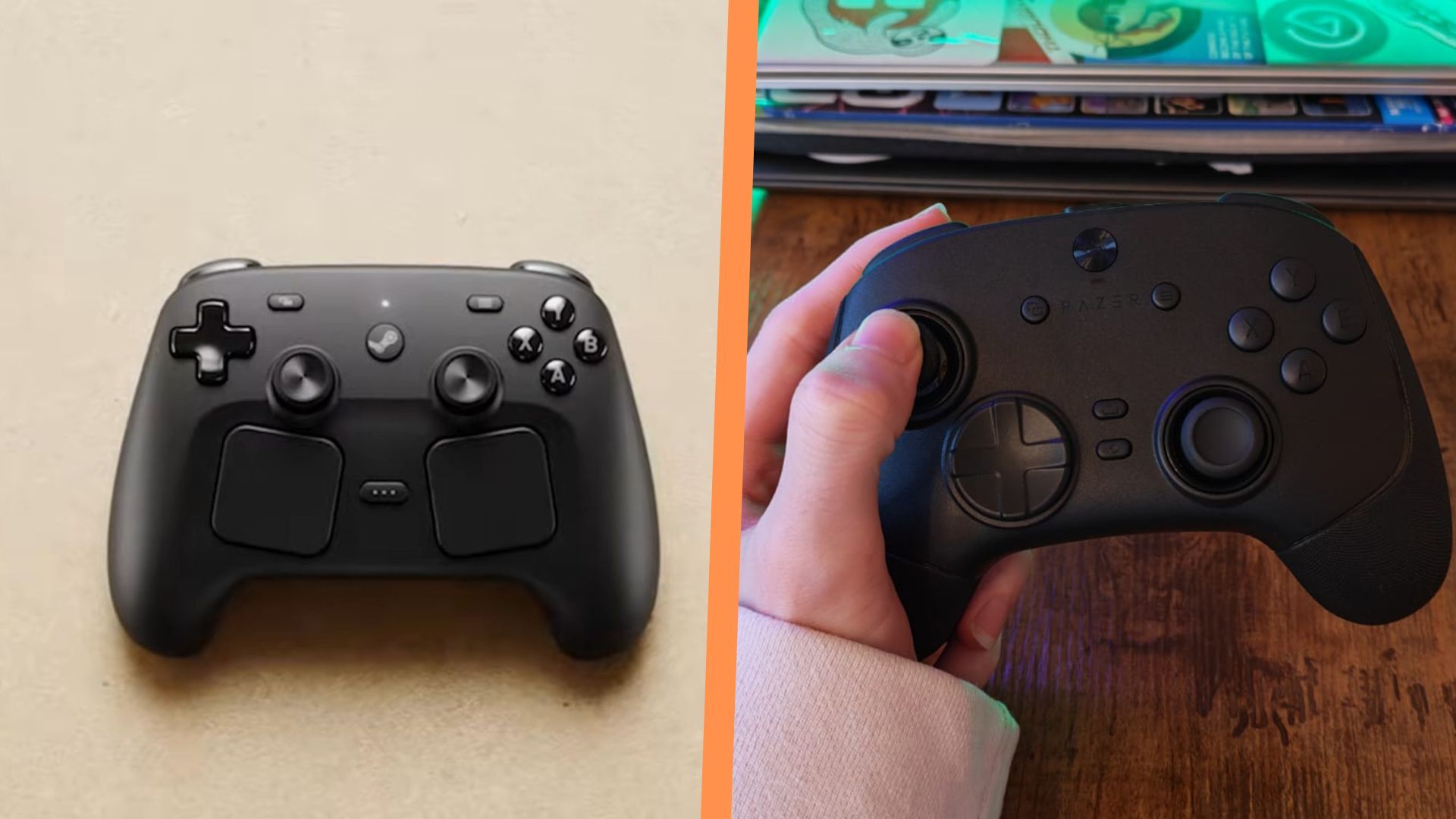
Membrane face buttons, a rigid D-pad, a limited 250Hz polling rate, and no trigger stops are all appearing to be common gripes from the first round of Steam Controller reviews.
Overall, Valve’s new PC controller is being received really well by critics, especially for its convenience and trackpad quality of life features. But for a price of $99 / £85, it may leave some players looking for a bit more for their money, especially if they’re looking for something they can play competitive games with. Having sifted through the first wave of Steam Controller reviews, a common theme seems to be that it just doesn’t cut it for those types of competitive fighting or FPS games, even with plenty of great comfort and battery life.
Microswitch face buttons & D-pad

If the Steam Controller’s membrane face buttons aren’t doing it for you, and you’d much rather have clicky microswitch ones, I’m happy to say you have so many other choices right now. I’d say the majority of gamepads these days come with microswitches; in fact, the only ones that don’t tend to lean into a more traditional feel, or just straight-up aren’t trying to be “competitive” controllers.
If you’re up for spending more money than you would on Valve’s gamepad, I’d take a look at the Nacon Revolution X Unlimited. Of all the controllers I’ve tested, I think Nacon has developed the very best microswitch face buttons. They’re clicky and have that responsive feel you’re probably looking for, but they feel luxurious and almost mimic membrane in terms of their cushioned actuation. That last bit may put you off, but rest assured, they don’t feel spongy, and a really short travel distance means they don’t lose their speed.
Besides that, you get six extra buttons, lots of physical parts to swap around, and a similar big and broad feel to Valve’s Steam Controller.
If you’re looking for a cheaper alternative for this particular feature, I’d recommend looking at the GameSir G7 Pro, since it has similarly designed microswitch buttons as the one I described above, has four extra mappable buttons, and TMR thumbsticks.
A faster polling rate

One thing that is truly surprising about Valve’s Steam Controller is that (at least at launch) it’s locked to a 250Hz polling rate, which is far less than most PC and Xbox Series X controllers that have launched lately, which usually tend to give you a 1,000Hz speed.
There are loads of 1,000Hz controllers out there, so it’s honestly worth looking around if this is something that bothers you. But just as an extreme alternative, a couple of gamepads have even taken things to the absolute limit by providing an 8K polling rate. First was the Razer Wolverine V3 Pro 8K, which strips back the weight and feel of the popular Xbox controller for an Esports-facing, super-speedy pro controller that makes a mockery of latency.
You might think that 8,000Hz is overkill, and you’d be right. Honestly, past a certain point, there will be no way for a human nervous system to register the differences in that kind of speed, or at least, have the reaction skills for it to really make a difference. What you’re buying here is peace of mind that latency isn’t going to hamper your performance, and insurance that a TMR controller is being used to its full potential.
Then again, if you’re looking to save some money, you could wait and grab the new GameSir G7 Pro 8K PC model when it’s released? That way you’ll still get the super-fast polling rate but won’t miss out on the rumble motors in the grips. That’ll cost you $89.99 at Amazon when GameSir makes it available, or you can pre-order it through the brand’s website now.
Trigger stops and swappable parts
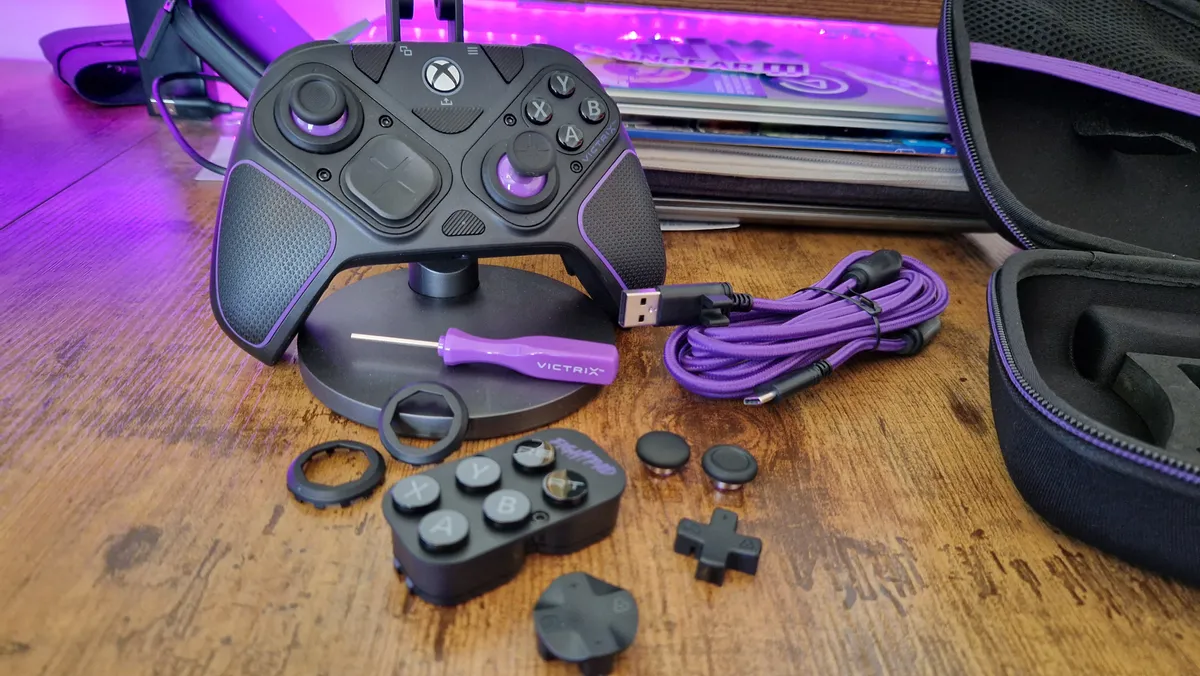
If you were interested in the Steam Controller but you’re disappointed by its lack of customization and on-board playstyle switch-ups, I don’t blame you. The ability to make a controller your own in this day and age is paramount for competitive players, and gives you a lot of value for money.
The alternative I’d look to, which gives you trigger stops and a case full of swappable parts, is the Victrix Pro BFG for Xbox. It has a modular design, so it really acts as a blank canvas for you to make your own, depending on the game you want to play and your own preferences as to where you want the sticks to be.
If you’re looking to spend as little as possible, I can also recommend the PowerA OPS V3 Pro, which doesn’t have as much in the way of swappable parts, but has an impressive amount of customization hiding just under its surface. Its thumbstick heights can be adjusted by twisting them – no annoying bits to potentially lose and no faff of trying to actually swap them around with tools. And, of course, it has some trigger stop switches on the back.
Check out the best Nintendo Switch 2 controllers for more inspiration, or hit the starting grid with the best racing wheels for PC.
Gaming Controllers,Hardware#Steam #Controller #doesn039t #hit #competitive #play #alternatives #I039d #recommend1777381032
