

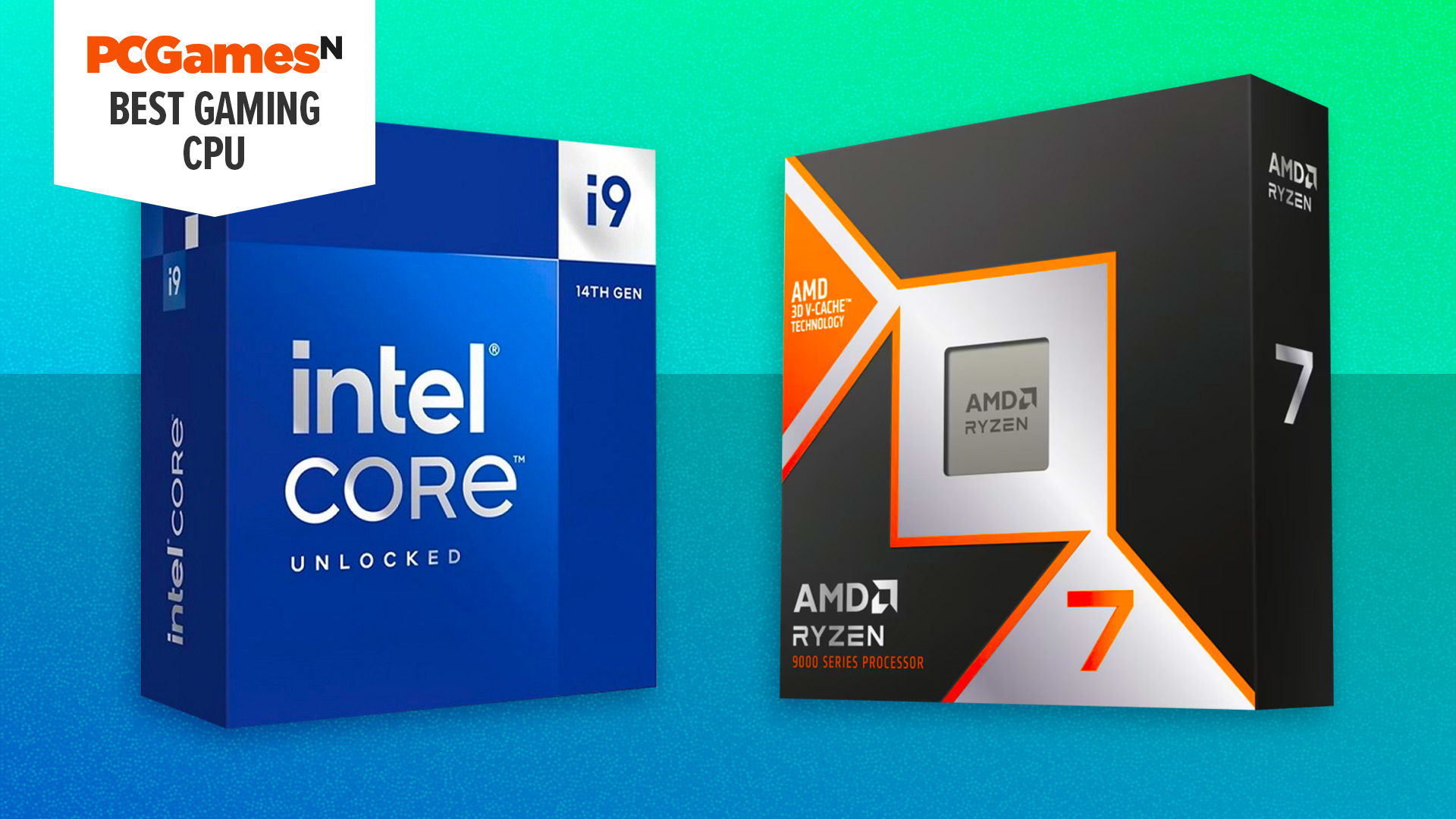
What is the best gaming CPU? Your choice of processor will fundamentally affect your PC’s frame rates, so you want to make sure you buy the very best gaming CPU you can afford when building a new PC. It’s your CPU that sets up the frames for your GPU to render in games, making it the foundation of your gaming PC hardware.
Our current top choice is the AMD Ryzen 7 9850X3D. It’s the fastest chip for gaming with enough power for other tasks too. Most gamers will probably want to opt for the nearly as fast but cheaper 9800X3D, though. Meanwhile, for a budget-friendly choice, the AMD Ryzen 5 9600X covers the basics with solid gaming performance, or the Intel Core i5 12400F is even cheaper at under $110. For more options, including high-end choices, check out the list below. Also see the how to choose and FAQ sections for help learning what to look for in your next CPU, while the also tested section includes chips we’ve reviewed that didn’t quite make the grade.
Why you can trust our advice ✔ At PCGamesN, our experts spend hours testing hardware and reviewing games and VPNs. We share honest, unbiased opinions to help you buy the best. Find out how we test.
Best gaming CPU 2026:
Recent updates
01/30/26:I’ve added the 9850X3D as our new top choice of CPU overall, following my review of that chip. While many gamers will be happy enough with the 9800X3D – which is why it’s our new “best gaming CPU for most” – the 9850X3D is undeniably the best, and not priced so ludicrously high that we feel the need to demote it from top spot. If you can afford it, it’s a great buy. I’ve also given our buying advice a refresh so that it’s band up to date.
AMD Ryzen 7 9850X3D
Best gaming CPU overall

| Socket | AM5 |
| Cores | 8 |
| Threads | 16 |
| Base clock | 4.7GHz |
| Boost clock | 5.6GHz |
| L3 cache | 96MB |
| TDP | 120W |
- Chart-topping gaming performance
- Solid overall performance
- Impressively cool-running and power frugal
- Only eight cores
- Only slightly faster than 9800X3D
- Expensive
AMD has done it again with the Ryzen 7 9850X3D. A year or so after the 9800X3D stormed to the top of the gaming charts as the best gaming CPU around, the 9850X3D adds 400MHz of clock speed to push a few percentage points ahead, crowning it the new champion. If you’re simply after the best of the best, this is it.
What’s more, while the advantage of this chip over the 9800X3D is small, so is the price difference. At MSRP, you’re only paying $20 extra to get the very best, at least on paper.
That said, this is still an expensive chip for only eight cores. You can grab the eight-core 9700X for $200 less. However, that chip is noticeably not as fast in games, even it can hold a candle to the 9850X3D in other tasks. That’s just how powerful the 3D V-Cache tech in this X3D chip actually is.
The other factor to consider is if you really need the very best. While at MSRP the 9800X3D is only $20 cheaper than the 9850X3D, it’s already seeing small discounts that are dropping its price to $449, which is a $50 saving. If you just want a really fast gaming CPU and don’t need the bragging rights of being the absolute best, that’s the chip we’d get.
Read our AMD Ryzen 7 9850XD review for more information.
AMD Ryzen 7 9800X3D
Best gaming CPU for most

| Socket | AM5 |
| Cores | 8 |
| Threads | 16 |
| Base clock | 4.7GHz |
| Boost clock | 5.2GHz |
| L3 cache | 96MB |
| TDP | 120W |
- Phenomenal gaming performance
- Overclockable
- Much faster than 7800X3D in multi-threaded software
- High price
- You only get eight cores
- Draws more power than 7800X3D
The second-best gaming CPU right now is the AMD Ryzen 7 9800X3D. This eight-core CPU isn’t cheap, but it can be had for as much as $50 less than the 9850X3D while only giving up a few percent in game performance.
In our tests, this CPU had been top of our charts until the 9850X3D came along, producing the fastest frame rates in the likes of Cyberpunk 2077 and Far Cry 6, with it being noticeably quicker than its predecessor, the 7800X3D, in non-gaming applications too.
The secret to the success of this CPU and its successor is its use of 2nd-gen AMD 3D V-cache, which is a large 64MB slice of silicon that sits under the CPU cores, providing a big boost in cache that saves your CPU from having to access slower RAM for its data.
This cache massively improves gaming performance, and the fact that it’s underneath the CPU cores on the 9800X3D and 9850X3D (as opposed to on top of them as in the 7800X3D) means your CPU cooler now directly cools the cores, rather than cooling the cache first. This not only means cooler operating temperatures than the 7800X3D, but it has also enabled AMD to up the clock speeds, with a top boost clock of 5.2GHz.
Add in AMD’s latest efficient Zen 5 architecture, and you have a formidable gaming CPU, as well as a chip that can handle multi-threaded software without breaking a sweat. It doesn’t have loads of CPU cores for really heavy-duty workstation-type applications (look to the 9950X or 7950X for that), but it has enough for most people’s needs, and it’s a fantastic chip for gaming.
Crucially, while the 9800X3D is still a fairly pricey eight-core CPU, it’s a reasonable chunk cheaper than the 9850X3D, so it’s the better bet for most gamers, unless you absolutely want the best for the sake of it.
Read our AMD Ryzen 7 9800X3D review.
AMD Ryzen 7 7800X3D
Best value AMD X3D
| Socket | AM5 |
| Cores (P+E) | 8 |
| Threads | 16 |
| Base clock | 4.20GHz |
| Boost clock | Up to 5.00GHz |
| L3 cache | 96MB |
| TDP | 120W |
- Flagship performance under $500
- Extremely efficient
- AM5 platform is feature-rich and has longevity
- Relatively slow clock speeds
- No stock cooler
- L3 cache doesn’t guarantee higher frame rates
The AMD Ryzen 7 7800X3D has been superseded by the superior 9800X3D and 9850X3D, but there are still reasons to consider buying the previous champion, particularly if you can’t quite afford the new chip. Grab the 7800X3D, and you’ll save yourself as much as $100 while only dropping a little performance, while still having the option to upgrade to a 9850X3D later.
Like the 9850X3D, it’s the 96MB of L3 cache inside the 7800X3D that does wonders for frame rates, ensuring that you’re getting all the pixel-pushing juice out of your graphics card. Its effects are most keenly felt at resolutions like 1080p, making it an ideal choice for competitive gamers. This also means that if you mostly play at higher resolutions where your GPU is the limit, only occasionally playing at high frame rates at 1080p, you will hardly ever notice the difference in game performance compared to a 9800X3D or 9850X3D.
Elsewhere, this chip isn’t as competitive as the 9850X3D for non-gaming tasks, but it’s still more than ample for most people’s needs. Plus, the AM5 motherboard it uses will not only let you drop in a 9850X3D as an upgrade – or let you switch to a 16-core AMD chip such as the 9950X3D – but will even support future AMD CPUs, as the company has committed to using AM5 for at least another generation of chips.
Read our AMD Ryzen 7 7800X3D review.
AMD Ryzen 5 9600X
Best budget gaming CPU

| Socket | AM5 |
| Cores (P+E) | 6 |
| Threads | 12 |
| Base clock | 3.9GHz |
| Boost clock | 5.4GHz |
| L3 cache | 32MB |
| TDP | 65W or 105W |
- Solid gaming frame rates
- Great value at current price
- Runs cool
- Not as quick as X3D CPUs in games
- Just six cores
- Intel 14600K is quicker at multi-threading
The AMD Ryzen 5 9600X is the ideal choice for anyone planning to build a new gaming PC on a tight budget, thanks to its solid gaming performance and sub-$200 price.
This Zen 5 processor may only have six cores, but that’s still plenty for most gaming scenarios, especially with the power of AMD’s latest architecture behind them. The only downside is that it’s not as quick as Intel’s equivalently priced chips, such as the Core i5 14600K, in multi-threaded software, though it is a better gaming chip.
All this and the chip sips power, making it economical to run and easy to cool. By default, it has a TDP of just 65W, making it easy to keep in check with a modest CPU cooler, but you can also unlock a 105W mode to give it a boost in multi-threading software.
What’s more, because this CPU uses AMD’s latest AM5 socket, you can buy a motherboard for it now that will also support later upgrades, as well as current CPUs such as the acclaimed 9850X3D.
Crucially, this chip no longer has a silly price. It originally launched at $279 in 2024, but it now costs under $200. That’s still a lot more than the Core i5 12400F, but it’s also a much more powerful gaming CPU, plus there’s plenty of life left in the Socket AM5 platform for future upgrades.
Read our AMD Ryzen 5 9600X review.
AMD Ryzen 9 9950X3D
Best CPU for gaming and productivity
| Socket | AM5 |
| Cores (P+E) | 16 |
| Threads | 32 |
| Base clock | 4.3GHz |
| Boost clock | 5.7GHz |
| L3 cache | 128MB |
| TDP | 170W |
- Incredible multi-threaded power
- Amazing gaming pace
- Runs surprisingly cool
- Very expensive
- Needs a decent CPU cooler
If you really want the CPU that can do it all, then AMD’s latest flagship, the Ryzen 9 9950X3D, simply can’t be beaten. Its 16 Zen 5 cores rip through multi-threaded workloads with ease, even beating the 24-core Intel Core i9 14900K in Cinebench.
Best of all, you don’t compromise on gaming performance, as eight of this CPU’s cores are also equipped with a 64MB slice of AMD’s 3D V-cache, and the gaming performance is incredible. It’s basically a Ryzen 7 9800X3D, but with an extra eight cores for multi-threaded work.
Those extra eight (non-X3D) cores can also boost to 5.7GHz, which is 500MHz faster than the 9800X3D, and in our tests, that means it’s faster in both single and multi-threaded workloads than the eight-core chip. All this, and it also runs surprisingly cool, especially compared to Intel’s 14th-gen Raptor Lake chips.
There’s only one downer about this CPU, and that’s the stratospheric price of $699. Realistically, you can pick it up for around $670, but that’s still extremely expensive. If you only want a chip for gaming, then you’ll get much better value from the 9800X3D or 9850X3D, but if you want barnstorming gaming performance, with top-tier multi-threading pace for productivity, then this is absolutely the CPU to buy.
Read our full AMD Ryzen 9 9950X3D review.
Intel Core i9 14900K
Best Intel gaming CPU

| Socket | LGA 1700 |
| Cores (P+E) | 24 (8+16) |
| Threads | 32 |
| Base clock | 3.20GHz / 2.40GHz |
| Boost clock | Up to 5.60GHz / 4.40GHz |
| L3 cache | 36MB |
| TDP | 125W |
- Great frame rate consistency
- 6GHz maximum turbo frequency
- Unrivalled multi-threaded capabilities
- Extraordinarily power hungry
- Requires a high-end cooler
- Often falls behind cheaper AMD X3D CPUs in games
Sitting at the top of Intel’s gaming CPU stack is the Core i9 14900K, one of the few chips out there capable of hitting 6GHz clock speeds.
It packs the usual makeup of 24 cores and 32 threads that have defined every Core i9 for the past three generations. The only other LGA 1700 processor capable of competing is the Core i9 13900KS, but the 14900K is essentially identical to the more expensive CPU.
The Core i9 14900K is best suited for systems that serve both as a gaming rig and workstation, as its strengths are best realized in multi-core workloads. Just make sure you have a capable power supply and cooler to hand, as it’ll guzzle electricity like nobody’s business.
There is a word of warning with this CPU, though, which is that there have been problems with voltage fluctuations, causing crashes in games, and even permanently damaged CPUs. If you want to run this CPU, make sure you flash the BIOS in your motherboard so it has the latest microcode first.
Read our Intel Core i9 14900K review.
Intel Core i5 14600K
Best mid-range Intel gaming CPU
| Socket | LGA 1700 |
| Cores (P+E) | 16 (6+8) |
| Threads | 14 |
| Base clock | 3.5GHz / 2.6GHz |
| Boost clock | Up to 5.3GHz / 4.0GHz |
| L3 cache | 24MB |
| TDP | 125W |
- Easily handles 120fps ‘x264 Slower’ encoding in real time
- Great gaming and creative application performance
- Can be beaten by AMD Ryzen 7000 processors
- Runs a touch hot
The 14600K is a super-capable mid-range chip that offers six of Intel’s performance cores coupled with eight efficiency core for a chip that boasts a total of 14 cores while costing under $190. That makes is a great multi-tasker.
What’s more, it’s gaming speed is decent too. While it falls behind the higher-clocked 14900K and AMD’s latest X3D chips, it’s still a fast CPU. What’s more, that K on the end of its name means you can overclock this chip easily, potentially getting free extra performance, if your CPU cooler has the capacity to cool it well.
For a brand new system, Intel’s LGA 1700 platform isn’t one we’d particularly recommend as it’s already now two generations old with no future CPU upgrade options. However, if you have an older LGA 1700 board or can find one cheap secondhand, the 14600K will be a great partner for it. And you can always upgrade to the likes of the 14700K or 14900K at a later date.
Read our Intel Core i5 14600K review.
Intel Core i5 13400F
Best value gaming Intel CPU
| Socket | LGA 1700 |
| Cores (P+E) | 10 (6+4) |
| Threads | 16 |
| Base clock | 2.50GHz / 1.80GHz |
| Boost clock | Up to 4.60GHz / 3.30GHz |
| L3 cache | 18MB |
| TDP | 65W |
- Generous price
- Slightly higher clock speed than 12400F
- Four E-Cores over 12400F
- No overclocking capabilities
- Limited boost clock
- No integrated GPU
If you want to get a decent gaming CPU on a tight budget, but also want a bit of a boost in multi-threaded work such as video encoding and rendering, the Core i5 13400F is a solid candidate. It features six of Intel’s latest Raptor Lake P-Cores and a 4.6GHz boost clock, making it slightly quicker than the 12400F for gaming, plus it has an added bonus over the 12400F.
Unlike its predecessor, the 13400F also has four of Intel’s low-power E-Cores under its heat spreader, giving you a total of ten cores, which gives it a notable boost in multi-threaded software. It’s an ideal choice for anyone who does more than just game with their system but doesn’t have a huge amount of money to spend.
Like the 12400F, this chip doesn’t have a K in its model name, which means it can’t officially be overclocked by changing the multiplier, and the F means it doesn’t have an integrated GPU either. However, the latter enables you to save some money if you’re buying a dedicated graphics card anyway.
You won’t need one of the best CPU cooler options to keep this CPU in check either, and if you buy the retail version you’ll even get an adequate Intel stock air cooler included in the box. For just $30 more than the 12400F, it’s a great upgrade.
Read our Intel Core i5 13400F review.
Intel Core i5 12400F
Best budget Intel gaming CPU
| Socket | LGA 1700 |
| Cores (P+E) | 6 (6+0) |
| Threads | 12 |
| Base clock | 2.5GHz |
| Boost clock | 4.4GHz |
| L3 cache | 18MB |
| TDP | 65W |
- Six P-Cores
- Amazing price
- Solid gaming performance
- Clock speed could be higher
- No E-Cores
- No integrated GPU
If you have some old PC gear and are looking for a cheap upgrade that will still get you solid gaming performance, the Intel Core i5 12400F is a great buy. At around $110, it’s one of the cheapest reasonably modern CPUs around and thanks to it being supported by quite old Intel motherboards and able to use old DDR4 RAM, there’s a chance you can reuse plenty of your old kit with it.
In particular, if you have an Intel LGA 1700 motherboard – or you can find a secondhand one for cheap – and you have 16GB or more of DDR4 RAM (any less than that and you’re better off buying new DDR5) this CPU will just drop in and get you six of Intel’s decently powerful, performance-oriented P-Cores. That’s two more than some of Intel’s more recent budget CPUs, and it’s these P-Cores that are what count for gaming.
Don’t be fooled by the older-looking ’12’ in this CPU’s model number either – the Alder Lake architecture used by this chip is very similar to the Raptor Lake architecture used in Intel’s latest 14th gen CPUs, and we’ve found it more than capable when it comes to gaming.
With its TDP of just 65W, this CPU also doesn’t need a massive AIO cooler to keep it in check – a budget air cooler will do the job fine. There are a few catches. One is that this ‘F’ model has no integrated GPU, but that’s not an issue for a gaming PC, as we’d recommend getting a separate graphics card anyway – only AMD has fast enough integrated GPUs for gaming. It also doesn’t have any of Intel’s E-Cores, which provide a boost in multi-threaded work, but these are largely irrelevant when it comes to performance in most games.
The peak clock speed of just 4.4GHz could also be higher, and this isn’t a K-series CPU either, so it’s not easy to overclock, but you can’t have everything at this price. This is the best option if you want a cheap easy upgrade, though for not much more there are better choices if you’re building a brand new system.
Read our Intel Core i5 12400F review
AMD Ryzen 5 8600G
Best CPU with integrated graphics
| Socket | AM5 |
| Cores (P+E) | 6 |
| Threads | 12 |
| Base clock | 4.3GHz |
| Boost clock | 5GHz |
| L3 cache | 16MB |
| TDP | 65W |
- Best value iGPU on the market
- Included air cooler
- Good CPU performance in games
- 6,000MHz+ RAM is a must for iGPU
- So-so value versus cheap graphics card
- Doesn’t have 16x PCIe 4.0 lanes
For those needing a single chip that can handle CPU and GPU duties, perhaps for building a small system, or if you’re just on a tight budget where spending another $200 on a graphics card just isn’t an option, look no further than the Ryzen 5 8600G. With six Zen 4 cores and a Radeon 760M integrated GPU, it’s a perky performer as a processor and stand-in graphics card.
The 8600G shines brightest in less demanding games, but it’s still capable of playing the likes of Cyberpunk 2077 at 30fps if you’re comfortable with playing at 1080p using low settings. It’s compatible with FidelityFX Super Resolution too, which can help boost frame rates further through upscaling and frame generation.
You’ll need to pair the 8600G with DDR5 RAM clocked at 6,000MHz or above to get the most performance out of its integrated graphics, which is a bit of a problem with current DDR5 RAM prices. While this does add to the total cost of putting together a system, though, you can use the same RAM if you upgrade your CPU in the future.
If you plan to upgrade to a dedicated graphics card in the not too distant future, the 8600G isn’t an ideal processor, as it’s not as fast as equivalently-priced CPUs without powerful integrated graphics and has a limited number of PCIe lanes. However, unless you’re upgrading to a particularly fast graphics card, chances are it will still be your GPU that holds back gaming performance, rather than this CPU.
Read our AMD Ryzen 5 8600G review.
Also tested
Intel Core Ultra 7 265K review for more details.” data-logo=” data-gamename=”” data-affmerchant=”” data-affprevprice=”” data-affprice=”” data-affctatext=”VIEW DEAL – Intel Core Ultra 7 265K” data-afflink=” data-affmessage=”Network N Media earns affiliate commission from qualifying sales.” data-widget-type=”star”>
Intel Core Ultra 7 265K review for more details.” data-logo=” data-gamename=”” data-affmerchant=”” data-affprevprice=”” data-affprice=”” data-affctatext=”VIEW DEAL – Intel Core Ultra 7 265K” data-afflink=” data-affmessage=”Network N Media earns affiliate commission from qualifying sales.” data-widget-type=”star”>
How to choose a CPU for gaming
The place to start when looking for a new CPU is considering whether you’re upgrading your system or buying a new one. If you’re running an older system, there could still be several upgrade options open to you that make a lot of sense. The most obvious of these is anyone running an older AMD AM4 system. If you are, there’s a good chance you can upgrade to the last generation of chips made for those systems, with the AMD Ryzen 5 5600X and Ryzen 7 5800X3D being great choices.
Meanwhile, if you’re running an older Intel system, the last few generations of Intel Core i CPUs, from 12th through to 14th-gen could fit in the same motherboards, though the generational performance upgrades weren’t huge. Still, if you’re rocking an Intel Core i5 12600K, upgrading to an Intel Core i7-14700K could be a great option.
These upgrade paths aside, if you’re looking to build a new system, your next consideration should be cost. If you’re on a tight budget, mid-range and high-end chips simply aren’t a sensible choice – save the money, buy a budget CPU, and spend your savings on the best graphics card you can afford instead. You can always upgrade your CPU later. You can get a super entry-level CPU for just over $100, while mid-range options are between $200-$400, and high-end chips can cost over $700.
Once you’ve figured out your budget, choosing the right CPU for your system comes down to what you plan to use it for. If gaming is your main focus, with your PC otherwise only really used for casual web browsing, email, and video watching, then an eight-core CPU is more than enough for your needs, with six-core chips mostly being ample too.
We recommend AMD’s X3D chips for these situations, as the extra stack of cache they have has proven to make a big impact on gaming performance in our tests. The current top-dog X3D chip for gaming is the 9850X3D, but the 9800X3D is excellent too. Or, if you’re on an older AM4 system, the 5800X3D is the best gaming CPU option.
If you’re on a budget, though, X3D chips can be a bit expensive, so opting for the six-core AMD Ryzen 9600X or the six-performance-core Intel Core i5 14600K is sensible.
If you want more of an all-round powerhouse of a CPU to provide massive multi-core processing power for tasks other than gaming, then you may want to consider a CPU with more than eight cores. The 16-core AMD Ryzen 9 9950X3D is the best overall CPU right now, but the Intel Core i9 14900K is also a mighty powerful chip.
Meanwhile, if you really want to save some money, then it’s also worth considering an AMD APU, which not only has a CPU inside it, but also a basic-level Radeon GPU, meaning you don’t need to buy a separate graphics card at all. These chips, such as the Ryzen 5 8600G, can cope with basic gaming at 1080p with low settings, but they’re not as quick as AMD’s full-fat CPUs if you do upgrade to a full graphics card at a later date.
Gaming CPU frequently asked questions (FAQs)
What is a CPU?
The central processing unit, or CPU, is the main processing part of your PC. It does nearly all the calculations that allow apps and games to run. Graphics cards help out with all the processing required to create 2D and 3D graphics, but everything else is handled by the CPU. A CPU sits in a motherboard, which connects it to your RAM, graphics card, and other parts, allowing everything to communicate and get power from your power supply. Without a CPU, your PC would cease to be.
The more processing cores a CPU has and the faster its clock speed, the more tasks it can get done and the faster your system. However, past a certain point, a faster CPU won’t get you a higher frame rate in your games. Once a game can run smoothly at lower graphics settings and resolutions, it’s nearly all up to the graphics card to deliver higher frame rates at higher graphical settings.
How we test the best gaming CPUs
There are a lot of gaming CPUs on the market, and it can be hard to know which processors are genuinely worth your money. To help you decide which CPU is right for your system and budget, we evaluate each chip’s gaming capabilities using a solid base spec for our test rig.
This comprises an Nvidia GeForce RTX 4080 Founders Edition graphics card, a Corsair H100x Elite 240mm AIO cooler, a Corsair RM1000x PSU, 32GB of G.Skill TridentZ 5 Neo RGB 6,000MHz, CL28 RAM, and a 2TB WD Black SN850X SSD. We also test with the very latest version of Windows,
When we test gaming CPUs, our benchmarks include our usual suite of some of the best PC games, including Cyberpunk 2077, Far Cry 6, F1 24, and Total War: Warhammer 3. We also test application performance using Handbrake for video encoding, and Cinebench R24 to assess rendering performance. In addition, we observe what temperatures the processor hits under load, and note how long it can maintain its advertised boost clock speeds.
Can I upgrade my CPU?
To upgrade the CPU in your gaming PC, you’ll need to physically swap it out for one of the more powerful processors in this list. It’s more straightforward than you’d think, provided you have a compatible chip, an adequate cooling system, and the right tools.
Check that a new CPU is compatible with your motherboard before upgrading. Intel’s compatibility tool lets you look up any Intel processor and view all compatible motherboards, while AMD’s search tool does a similar thing.
When you’re ready, our seven-step CPU upgrade guide has plenty of advice on installing a new processor. Also, be sure to check our best CPU cooler guide to find the right cooler for your upgrade.
How do you install a CPU?
Installing CPUs is relatively simple but not without risk. You’ll need to verify that the CPU and motherboard you’re using are compatible so that they’re using the same socket (LGA 1700 or AM5, for instance) and that your motherboard supports the CPU. Some motherboards that can fit a CPU won’t support it for other reasons, while some will require a BIOS update. You can generally check the list of compatible CPUs on the motherboard manufacturer’s website, which is where you can also find the BIOS update.
With these factors confirmed, slotting in a new CPU is generally as easy as removing your existing CPU cooler (generally screwed or clipped to your motherboard), opening up the locking clip that surrounds the CPU socket on the motherboard, then gently placing the CPU in the socket, making sure the CPU is aligned correctly. Close the clip and you’re done, other than installing a CPU cooler. You can learn more about how to fit a CPU cooler in our how to build a gaming PC guide. Meanwhile, for a full explanation of how to install a CPU, check our CPU upgrade guide.
When to upgrade a gaming CPU?
There isn’t a set amount of time that a CPU will last you, but there are several ways to determine the best time to replace your CPU. Either you’ll find that your current system has slowed and is no longer meeting your needs, you specifically want to boost the speed of certain tasks, or you want to futureproof yourself with the latest processor.
If you’re unsure whether the CPU is the weak link in your gaming machine, there are tools to help you figure it out. CapFrameX and Rivatuner Statistics Server can display CPU and GPU loads when you boot a game with it running in the background. If your GPU isn’t consistently hitting close to 100% usage but you’re still getting stutters or generally slow performance, there’s a good chance it’s your CPU (or possibly RAM) that’s holding you back. However, if your graphics card usage does hover around 90-100%, upgrading to the best graphics card will likely be better than a CPU upgrade.
What should CPU usage be when gaming?
In a balanced system (a PC with a CPU and GPU of a similar caliber – think RX 7700 XT and Ryzen 5 7600 or RTX 4090 and Core i9 14900K), your CPU usage will largely depend on the types of games you’re playing.
Certain genres, such as RTS games, will lean more heavily on the CPU as more computational performance is required to manage features like the artificial intelligence of the hundreds of units in the game. That said, more often than not, your GPU usage should be at close to 100% long before your processor is, but higher frame rates (240+) will put more strain on your CPU.
PC games hardwarePC games hardware#gaming #CPU1769824268
