

I’m always a bit reluctant to hand over Nintendo Switch gift cards to friends and family during birthdays and other events where the best Nintendo gifts are well-warranted. They feel really impersonal, especially when you pick one up online, as they typically just arrive as code to your inbox.
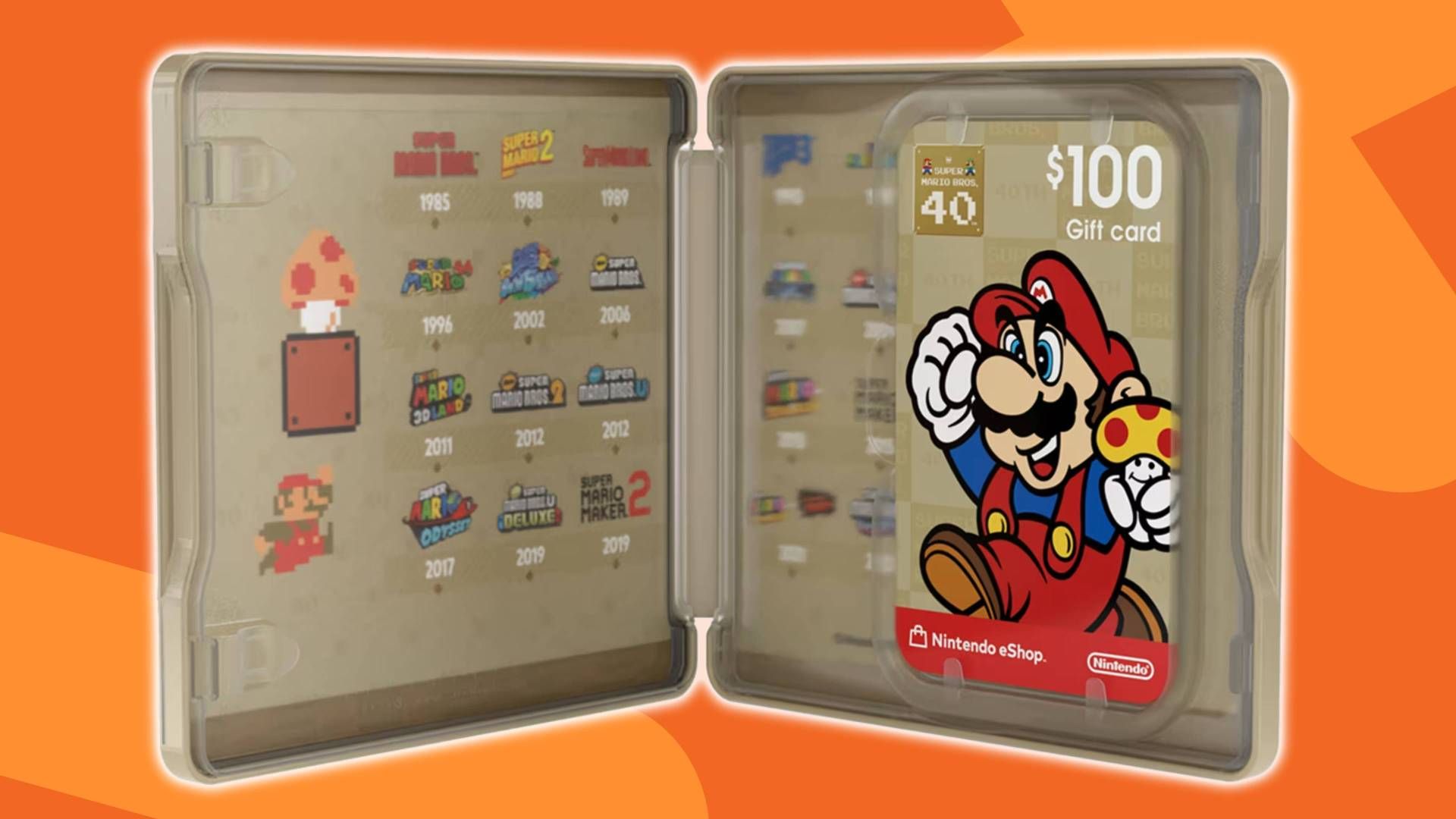
I’m not sure if Nintendo was listening in on my gifting woes, or just wanted an excuse to flog off its most expensive $100 (Nintendo) eShop card, but if you grab one from the official US Store, you now get a physical Super Mario Bros 40th Anniversary case to go along with it. Of course, Nintendo Switch Prime Day deals are incoming, so you’ll have more opportunities to gift physical goodies to your bff in a few weeks. But the case is a neat extra that the biggest Super Mario Bros fan in your life is sure to appreciate, especially over a boring, long-digit code on receipt paper.
Nintendo could have easily gone the lazy route and just launched a plain red collectible case, or one that’s covered in the renders of Mario’s face that you typically find decked out across the plastic versions of the card, but this Super Mario Bros. 40th Anniversary version goes all out with its lovely gold exterior design.
There’s not just a series of art featuring Mario through the years on the exterior, but the interior of the case includes a handy dandy timeline of all the major Super Mario game releases over the decades – from Super Mario Bros on the NES (the first game I ever played) to Super Mario Bros Wonder released on the Switch.

Regrettably, it appears as though you can only get this case if you grab the $100 Nintendo Switch eShop Gift Card, as there’s no $50 or $25 equivalent. Nor is it available at the UK Nintendo online store.
However, if you were going to gift $100 worth of eShop funds to a friend regardless, why not get it straight from the source if you know you’ll get a free physical steelbook case along with it? You could even keep it and just hand over the plastic gift card, though don’t come crying to me if your friend finds out.
How to redeem a Nintendo Switch Gift Card Code on the Nintendo Switch 2
- Turn on the console
- Navigate to the ‘Nintendo eShop’ icon on the toolbar
- Select the user who’s redeeming the code
- Scroll down and select ‘Enter code’
- Enter code found on the back of the Nintendo Switch eShop gift card
- Select ‘A’ to Confirm
- View all Nintendo Switch gaming deals at Amazon
Our guide to the best Nintendo Switch 2 accessories is full of some of the best Nintendo Switch 2 controllers and the best Nintendo Switch 2 headsets that would make the perfect gift for the biggest Ninty fan in your life.
Games#Nintendo #finally #gift #cards #exciting #throwing #free #shiny #Super #Mario #Bros #case1781096416
