

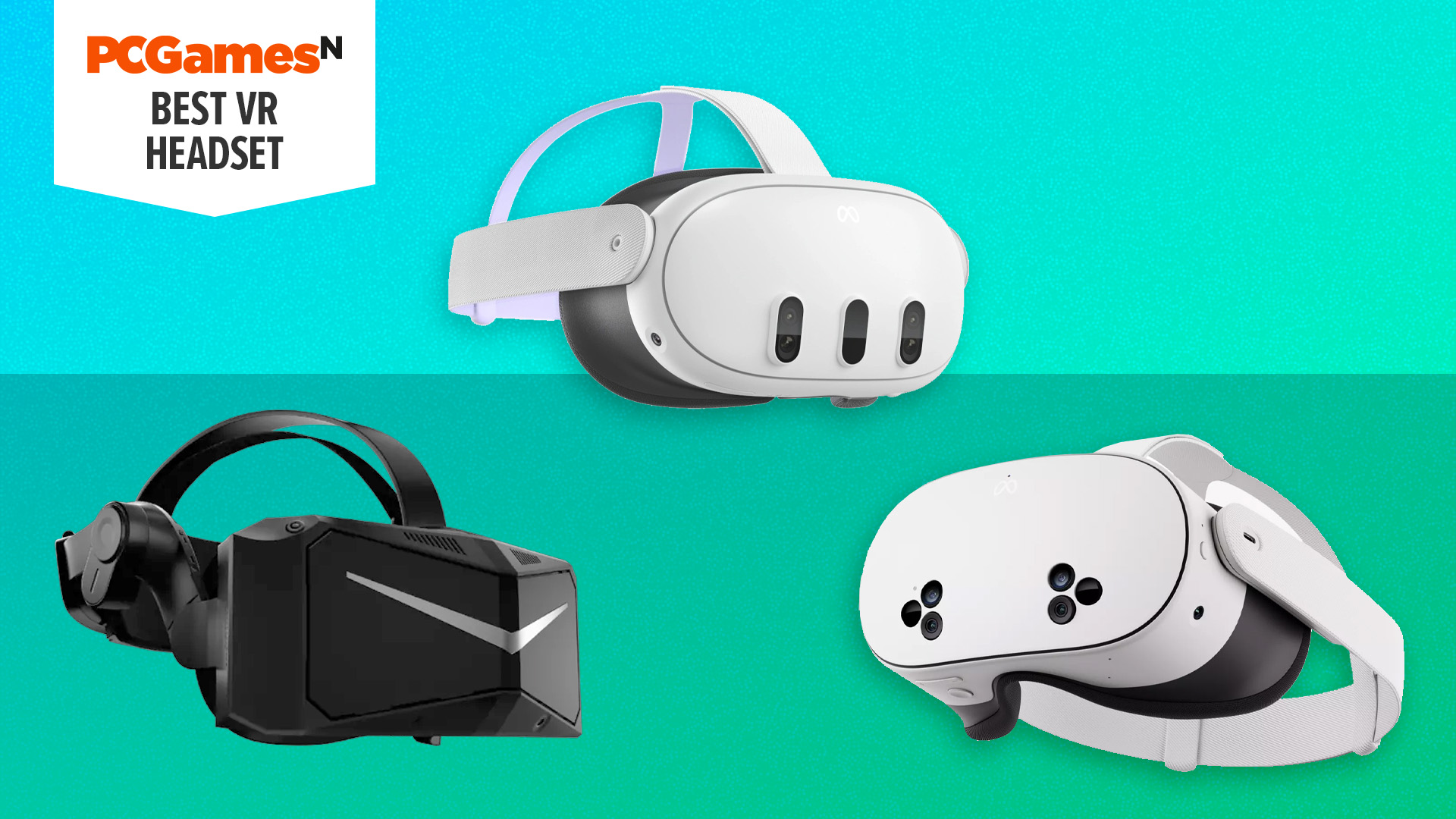
What is the best VR headset? While we still wait to see whether the Steam Frame is truly going to be the best VR headset for PC gamers, there are still plenty of great choices available right now. Whether you’re after a headset mostly for watching video, playing games tethered to your PC, or for playing free-roaming games while standing up, our guide to the top VR headsets has a recommendation for you. We’ve tested dozens of options to find the right ones, whatever your needs.
Our top choice overall remains the Meta Quest 3, as it combines decent image quality and a great standalone experience for a very reasonable price. If you’re not keen on a Facebook-affiliated headset, though, the Pico 4 is the best alternative standalone choice, while the Meta Quest 3S is the best budget choice. For more options, check out the full list below. Also, if you’re not sure where to start with your VR headset search, check out the “How to choose” and FAQ sections of this guide that explain what to look for and answer your VR headset questions. You can also find more VR headset reviews in the “Also tested” section.
Why you can trust our advice ✔ At PCGamesN, our experts spend hours testing hardware and reviewing games and VPNs. We share honest, unbiased opinions to help you buy the best. Find out how we test.
Best VR headset 2026:
Meta Quest 3
Best VR headset overall

| Screen | 2,064 x 2,208 LCD per eye, pancake lenses |
| Refresh rate | 90Hz / 120Hz |
| FoV | 110° horizontal, 96° vertical |
| Tracking | Inside-out |
- Fully wireless headset and controllers
- Quality built-in speakers
- Easy setup
- Price has increased
- Requires a Meta account
The Meta Quest 3 might not be the very best VR headset when it comes to image quality, with several top-tier options offering higher resolutions, contrast, and more. However, the Quest 3’s image is still good, and more importantly, the rest of the headset is really easy to use, and it’s great value too.
For a start, this is a standalone headset, so you can just put it on your head and start setting it up right out of the box, with no need to connect it to your PC. What’s more, Meta has a huge library of games and software available through the headset, making it easy to get going. You can check out our guides to the best Meta Quest 3 games, and best free Meta Quest 3 games for some ideas of what to play.
All this and the headset’s 2,064 x 2,208 per eye resolution, speedy 120Hz refresh rate, and compact pancake lens mean you get a great VR image. Again, it’s not class-leading, but it’s still very good. The main downside is that this headset uses LCD rather than OLED displays, so contrast isn’t as good as some alternatives.
With capable inside-out tracking and easy-to-use controllers, this headset is easily the best value option out there, so long as you don’t mind the requirement to use a Meta account to set up the device.
Read our Meta Quest 3 review.
Meta Quest 3S
Best budget headset

| Screen | 1,832 x 1,920 per eye, fresnel lenses |
| Refresh rate | 120Hz |
| FoV | 96° horizontal, 90° vertical |
| Tracking | Inside-out |
- Standalone and PC compatible at a great price
- Same chipset as the Quest 3 for exclusive games
- Brilliant mixed-reality experience
- Fresnel lenses limit clarity in cases
- Stepped IPD
The jump from the Quest 2 to the Quest 3 proved a bit too pricey for some gamers. Fortunately, the Quest 3S is the successor to the Quest 2 that everyone was hoping for. On paper, it sounds remarkably similar to the Quest 2, offering the same 1,832 x 1,920 resolution displays for each eye, the disappointing inclusion of Fresnel lenses, and the same FoV. However, the magic in the Quest 3S is mostly internal.
Sporting the Snapdragon XR2 Gen 2 found in the standard Quest 3, the Quest 3S offers up to twice the performance of the Quest 2 – and it shows. The fact that games like Batman: Arkham Shadow and Metro: Awakening run so well on a budget headset is nothing short of spectacular, and the mixed reality is almost as good as the original Quest 3. And, the use of Quest Link or the Steam Link app makes it easy to connect to your gaming PC and dive into plenty of PC-exclusive VR games.
As much as we’d prefer the comfortable pancake lenses and improved resolution of the Quest 3, if you don’t want to break the bank with your first go at virtual reality, the Quest 3S is a brilliant option that offers very little in terms of downsides.
Read our Meta Quest 3S review here.
Pimax Crystal
Best VR headset for image quality
| Screen | 2,880 x 2,880 QLED LCD per eye |
| Refresh rate | 120Hz (Up to 160Hz in experimental mode) |
| FoV | 115° horizontal, and 105° vertical |
| Tracking | Inside out |
- Stunning, high-resolution image quality
- Smooth 120Hz refresh rate
- Great sound quality
- Difficult first setup
- Standalone functionality is lacking
If you’re happy to be tethered to your PC, the Pimax Crystal offers among the best PCVR image quality you can currently experience. Its combination of an ultra-sharp 2,880 x 2,880 pixels per eye with a wide FoV and 120Hz refresh rate means this headset wants for only one thing when it comes to image quality.
That thing is the high contrast of OLED, as these headset uses LCD displays. The result is still great image quality, but the holy grail of image quality will be this sort of performance with an OLED panel’s contrast.
Where the Pimax Crystal more meaningfully falls down is as a standalone headset. It’s big and bulky, so isn’t particularly portable, plus its online store is fairly sparse.
That wouldn’t be so bad except this headset also has a sky-high price of $1,699 / €1,499. That’s the going rate for top-class VR image quality, but it puts headsets like the Pimax Crystal completely out of contention for most gamers when headsets a third the price offer decent enough image quality and a much more engaging standalone library of games. Still, if you want the best, this is the one to get.
Read our full Pimax Crystal review to get the complete picture.
Also tested – more VR headset reviews
Valve Index
 A long-time entrant on the main list of our VR headset guide, the Valve Index was for years listed as the best VR headset for Steam games. However, its core hardware is now simply too old to recommend. Its 1,440 x 1,600 resolution per eye makes for an image that isn’t particularly sharp, and its use of external base stations for tracking is very inconvenient. We still have a lot of love for this headset – its controllers are great and its Steam game compatibility is so slick – but it’s now all but impossible to buy, and there are simply better options out there for most gamers.
Read our Valve Index review for our full thoughts.
Recent updates
04/02/26: This guide has been overhauled and rewritten to reflect our current VR headset guidance. This work was undertaken by Edward Chester, and so the article author has been changed. We’re currently testing two new headsets for review, but right now our current recommendations remain the same.
How to choose the best VR headset
Choosing the best VR headset for PC gaming isn’t necessarily complicated, but there are some crucial factors to consider, and the first is price. Considering different VR headsets offer different focuses, it’s no surprise that their prices can vary considerably.
The Meta Quest 3S offers budget standalone and PC gaming for just $300/£290, while devices such as the Bigscreen Beyond and Pimax Crystal will set you back well over $1,000. For anyone starting out in VR, we absolutely recommend starting with a cheaper option so you can get a sense of whether you enjoy it and what type of gaming you like, which can then help guide you when picking a more expensive option.
Next to consider is your intended use for a VR headset. If you’re only interested in PC gaming, then options such as the Valve Index and Pimax Crystal focus exclusively on that. The former is quite old in terms of hardware now, but still offers some advantages. If you foresee yourself using VR on the sofa or elsewhere, then standalone options such as the Meta Quest 3, Meta Quest 3S, and Pico 4 will be the way to go.
Getting into the nitty-gritty of VR headset specs, resolution is one of the most important factors. Some VR games do their best to create a super-realistic world filled with intricately detailed graphics. If that’s the type of game that you like to play, you’ll want as high a resolution headset as possible. The same goes for watching realistic VR video. If you’re more interested in a casual, fun VR experience with games such as Beat Saber, though, then resolution is less of a priority.
Around 1,440 x 1,440 per eye is the lowest we’d consider acceptable for a modern headset, with anything over 2,000 x 2,000 pixels offering a solid experience for most gamers. Headsets with over 2,560 x 2,560 pixels per eye truly bring a next-level experience in terms of sharpness. The Pimax Crystal, for instance, has a resolution of 2,880 x 2,880 per eye, giving it fantastic image quality.
Refresh rate is another crucial spec to look out for. Most headsets are “fast enough” with refresh rates of 72Hz or more, but for the best experience – especially if you think you might be at all sensitive to motion sickness with VR – you’ll want a higher refresh rate of 90Hz or more.
For those new to VR, the ease of setup could also be a key factor. Some of these headsets are designed so that they can essentially be used right out of the box (e.g., Meta Quest 3, Pico 4) thanks to built-in WiFi and batteries, whereas others (e.g., Valve Index, Pimax Crystal) are designed to be plugged into a PC, using your graphics card and other PC hardware to power the experience. The latter can be trickier to set up.
Along similar lines, some headsets have better built-in motion tracking than others. Most modern headsets have so-called outside-in tracking that use sensors on the headset to track your movement, but most older headsets, such as the Valve Index, require base stations to help the headset track you. These can be a pain to position around your room.
VR headset FAQs
What is VR?
VR simply means virtual reality, and it refers to a headset or user experience where you’re presented with an image that completely fills your vision, tracking your head movement to make it feel like you’re actually inside a virtual space. Crucially, it uses slightly different views for each eye – with lenses and screens for each eye – to mimic the stereoscopic depth effect of our own vision, which is something even the largest single gaming monitor can’t replicate.
VR is distinct from augmented reality (AR), which is where a headset overlays images on your view of the world around you.
The Apple Vision Pro is an example of both, with it being a VR headset that has screens inside that fill your whole view, but its focus is on AR experiences that project the outside world back through those screens with all sorts of extra stuff shown on top. However, most VR headsets are predominantly just for VR, with them designed to let you play games or watch videos in a way that completely absorbs your vision in a virtual world.
Does VR cause sickness and headaches?
It depends on you. Yes, virtual reality gaming can lead to nausea and headaches for some, but unfortunately, it’s very difficult to tell if you’ll be affected until you try it. However, there are a few steps you can take to minimize how badly you’re affected.
One approach to try is to only play for short periods of time when you start. Set a timer for 20 minutes, for instance, then step away for a while before jumping back in. Also, have your first few forays into VR be when sat down, rather than jumping in and playing a free-roaming game. Watch some VR videos, play some simpler games, and just generally get used to the feeling before taking your first steps.
Another general point is that the quality of the headset you’re using can massively affect your nauseous feelings. If you’ve tried really basic VR before and not enjoyed it, you may find a quality headset doesn’t have the same effect. Higher resolution screens and higher refresh rates can hugely smooth out the VR effect, making it feel much more natural.
It’s also important to remember that this is just a matter of adjustment -similar to how rollercoasters make some people feel sick – and that it is not doing any permanent harm.
Is VR bad for your eyes?
No, there is no proof that using a VR headset can harm your eyes, just as there isn’t for prolonged use of computer screens or looking at phones. That said, just like with those devices, taking breaks is certainly advised. This should reduce any eyestrain. Having said this, VR headsets often come with an age restriction as they are not to be used by small children who are still developing.
Is VR worth it in 2026?
Absolutely. We’d say that as each year goes by, VR headsets become more and more appealing due to improving technology and an ever larger library of VR games. There’s quite a large library of games that make use of VR now, or that are entirely built around its use. This isn’t a fad that’s going to go away any time soon, and we recommend trying some of the amazing VR experiences that are currently available.
What do you need for VR?
To get started in VR these days all you need is a VR headset. The first few generations of modern VR headsets required a PC to power the graphics output. However, the likes of the Meta Quest 3/3S and Pico 4 can run completely on their own, with the Quest headsets in particular having an impressive array of games available directly through the headset.
However, if you want to play your Steam game library, you will need a PC to stream those games from your PC to the headset. Connecting to a PC also opens up lots of other possibilities, such as transferring VR videos to your headset, streaming other non-Steam games and more.
Some headsets can connect to a PC natively via a USB-C connection, while others use a DisplayPort connection from your graphics card. Meanwhile, others, such as the PlayStation VR 2 (PSVR 2), require a dedicated adapter to convert your PC’s output to use with the headset.
What VR headset has the highest resolution?
The Varjo XR-4 is the highest resolution VR headset you can buy right now. It has a per-eye resolution of 3,840 x 3,744 pixels. That compares to 1,832 x 1,920 for the Quest 3 and 2,160 x 2,160 for the Pico 4. However, that headset is extremely expensive and not really intended for home users. Instead, the Pimax Crystal Super with its per-eye resolution of 3,840 × 3,840 is the most realistic high-resolution, home user option.
That’s it for our best VR headset guide. However, you can check out our best VR games guide to find a list of the top titles that you might want to play if and when you do take the plunge and buy a VR headset.
PC games hardwarePC games hardware#headset1775160546
